Systems Design
The main page of this site is long because there’s a ton of information that I thought people would want right away. This page can be just as long, if not more so. That said, on this page we’re talking about how to design an application in a more “proper” way. There are many ways to skin a potato, so remember, your mileage may vary just as much as your use case.
There's no "one way"
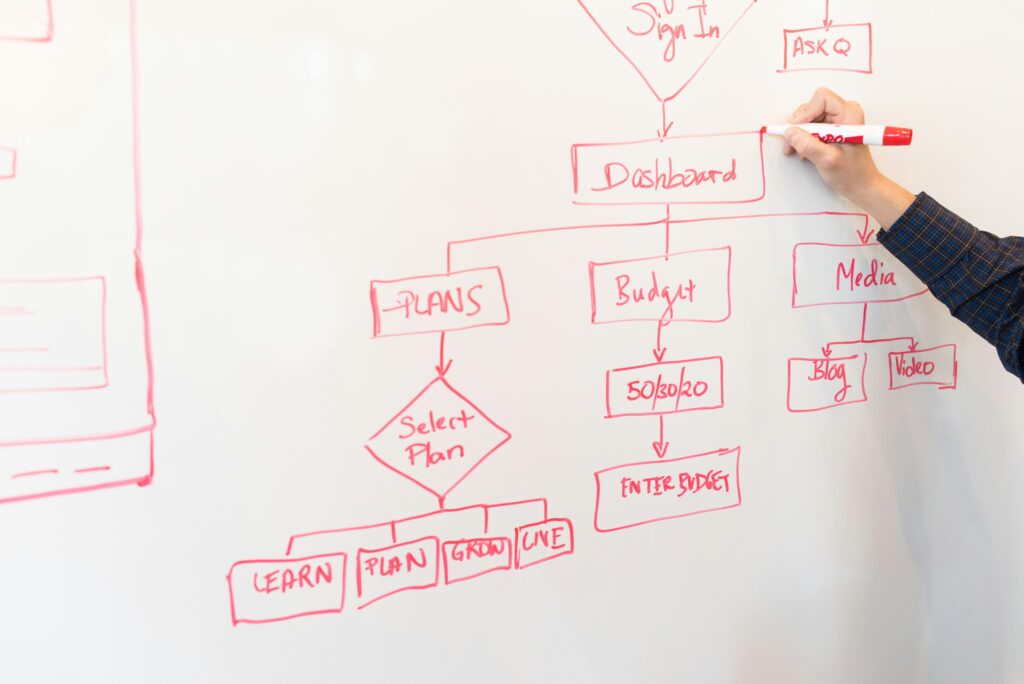
Systems design is an incredibly broad topic. There’s a ton of different ways to go about it, and the only one that’s “wrong” is the one that doesn’t solve the problem. There are a ton of anti-patterns, traps, and tech-debt causing decisions that can make your life more difficult down-the-line. If you’re just getting started, this page may seem unnecessary, but the sooner your start with good design, the easier your life will be when you’re trying to scale a system later.
The following sections will cover the design process at a decently in-depth level. The topics covered here are Design Patterns, Architectural Representations, Security Concerns, and the SDLC.
Design Patterns
Architecture
Security
SDLC
The Software Development Life Cycle is a process that defines individual “phases” of how an application, feature, bug fix, or otherwise, enters into the live product put out by an individual or company. Geeks For Geeks has a nice article on this. Even though you may be a newer developer or a sole proprietor, consider the necessary steps to build your app. The SDLC only serves to help you track your development progress.
Design skills are scalable. You can take what you learn here and apply it to startups, mid-level companies, established multi-location companies, and all the way up to grand enterprise. If you take your time, consume this content, and really digest it, you’ll build a foundation that any programming language is helped by. Design is also language agnostic, meaning it carries over to any system you work on.
I'm seeing a pattern
Design patterns are “recipes” that developers have put together over the years to solve common problems. There are a number of them out there, and making sure you understand where to use them will be the first major building block toward architecting a system.
Behavioral Patterns
Chain of Responsibility
- Use Case: Passing a request along a chain of handlers until it is handled. For example, an ATM withdrawal process where requests are handled by different handlers based on the amount (dispensing $100s, $50s, $20s).
Command
- Use Case: Encapsulating a request as an object, thereby allowing for parameterization of clients with queues, requests, and operations. Useful in a GUI where user actions like button clicks are represented as command objects.
Interpreter
- Use Case: Defining a grammar for a language and an interpreter that uses the grammar to interpret sentences in the language. For example, a simple calculator that interprets and evaluates mathematical expressions.
Iterator
- Use Case: Providing a way to access the elements of an aggregate object sequentially without exposing its underlying representation. Useful for traversing a collection like a list or a tree.
Mediator
- Use Case: Reducing chaotic dependencies between objects by introducing a mediator object that handles communication. For example, a chat room where the mediator manages communication between users.
Memento
- Use Case: Capturing and restoring an object’s internal state. Useful in a text editor that allows undo and redo operations.
Observer
- Use Case: Defining a one-to-many dependency between objects so that when one object changes state, all its dependents are notified and updated automatically. For instance, a news agency notifying subscribers when news updates are available.
State
- Use Case: Allowing an object to alter its behavior when its internal state changes. Useful in a vending machine where the behavior depends on its current state (waiting for money, dispensing product).
Strategy
- Use Case: Defining a family of algorithms, encapsulating each one, and making them interchangeable. For example, a sorting class that can use different sorting strategies like bubble sort, merge sort, or quick sort.
Template Method
- Use Case: Defining the skeleton of an algorithm in the superclass but allowing subclasses to override specific steps of the algorithm without changing its structure. For instance, a data processing framework where specific data processing steps are defined in subclasses.
Visitor
- Use Case: Representing an operation to be performed on elements of an object structure without changing the classes of the elements. Useful in a file system where different operations like compressing or encrypting files can be performed by visitors.
Sometimes a design pattern can be a bit nerve-wracking when looking at implementation, but when designing a system, making mention of the pattern can help give a developer a more purposeful understanding of how an object or system is meant to be used.
For instance, a decorator pattern is useful when taking a base model and wrapping it with functionality or features. Most commonly you could see a Decorator pattern on websites that let you set features on a car or a computer. In those cases, a base model of a car or computer is selected, then you can add packages. A car may allow for a towing package, or an LED light bar, or something like that. A computer may allow for more memory, a better hard drive, or different processor, all selectable in their designer. Refactoring.guru has a more comprehensive description for each major design pattern that we see in the industry.
Below, you’ll find some common use cases for different design patterns:
Creational Patterns
- Abstract Factory
- Use Case: Creating families of related or dependent objects without specifying their concrete classes. For example, a GUI toolkit that can create buttons, checkboxes, and scrollbars for different operating systems (Windows, macOS, Linux).
- Builder
- Use Case: Constructing complex objects step by step. Useful for creating a complex
Carobject where the client can specify parts like engine type, GPS system, and seats.
- Use Case: Constructing complex objects step by step. Useful for creating a complex
- Factory Method
- Use Case: Defining an interface for creating an object, but letting subclasses alter the type of objects that will be created. For example, a document editor that can create different types of documents (Word, PDF).
- Prototype
- Use Case: Creating new objects by copying existing ones (cloning). For instance, a game that needs to spawn many similar enemies quickly.
- Singleton
- Use Case: Ensuring a class has only one instance and providing a global point of access to it. Useful for managing a shared resource like a database connection or a configuration object.
Structural Patterns
- Adapter
- Use Case: Allowing incompatible interfaces to work together. For example, a payment processing system that integrates multiple payment gateways with different APIs.
- Bridge
- Use Case: Decoupling an abstraction from its implementation so that the two can vary independently. For instance, separating the platform-specific window rendering logic from the window management logic in a GUI library.
- Composite
- Use Case: Composing objects into tree structures to represent part-whole hierarchies. For example, a graphics drawing application where shapes can be simple (like a line) or complex (like a group of shapes).
- Decorator
- Use Case: Adding behavior to objects dynamically without affecting other objects from the same class. For instance, adding scrolling and border features to a text view object in a GUI application.
- Facade
- Use Case: Providing a simplified interface to a complex subsystem. For example, a library system that provides a simple interface for checking out books while hiding complex logic involving user accounts, book inventory, and fines.
- Flyweight
- Use Case: Minimizing memory usage by sharing as much data as possible with similar objects. Useful in a text editor where each character is a flyweight object shared across multiple text documents.
- Proxy
- Use Case: Providing a surrogate or placeholder for another object to control access to it. For instance, a virtual proxy that loads a large image only when it’s needed.
Security
Any program that handles data transmission, whether it’s user specific, financial, or just basic settings, should consider security. There are a ton of avenues to consider for security, the first of which should be that, if you have user accounts at all, password hashing.
If you’re running a website, be sure to sign your website using SSL/TLS so that its internet traffic is encrypted and the server is verified. This helps not only keep hacking and infiltration to a minimum, but also offers piece of mind for clientele, especially if your site involves ecommerce or any kind of purchasing capability.
Hardware architecture is also incredibly important in some cases. When running a business that handles financials like accounting, banking, and/or credit card processing or one that deals in medical records or their transmission, secure hardware architecture can be mandated legally, such as it is in The United States of America.
Back into the code side of things, any time a user inputs data, that data needs to be “cleaned.” If not done properly, a user can negatively impact their experience or even take down your database (if they’re malicious enough).
Backups are the final item I’ll touch on for this section for now. In case something catastrophic happens, having a backup can save your bacon and get your company, application, and users back up and running ASAP.

Password hashing
Password hashing is the practice of taking a text input, running it through an algorithm with a randomly generated value to mix it up (called a “salt”) and spitting out a safe value to be stored in a database.
When encrypting data, it is imperative that a trusted methodology be used (An organization known as NIST maintains a list of approved algorithms to get you started). To the best of my knowledge, using a system like SHA512 with a “slow hashing” mechanism is the best that we can do (within reason). This is not impervious to attacks, however, and should be paired with other security to ensure the best chance at preventing compromises. I’m no cryptography expert by any means, so if you’re plunging down this rabbit hole, make sure to do further research to be properly informed before finalizing your decision. Good software engineering tactics and methodologies can allow this to be replaced with a more robust system later, but starting on the right foot is never a bad thing.
SSL/TLS Certificates
Hardware Security
In cases where your business handles sensitive or “controlled” data (financial, medical, or government, typically), it is often setup to have a dual server installation; one server is publicly facing, accepting data requests and responding to them, but the coded actions of the system enter into a demilitarized zone (DMZ), then pass to a secured, privately-accessible server with a series of firmware, hardware, and software security gates that houses the actual data. These are typically one-way-in (digitally, anyway) and one-way-out systems to prevent as many actual attacks and breaches as possible. Obviously, no system is 100% secure, but this gets darn close. A great paper, with diagrams, that better illustrates this concept was put out by ResearchGate in 2020 (written by Se Young Jung, Hee Hwang, and Ho-Young Lee).
In my career, I’ve been a network engineer, designing, installing, and maintaining networks and their nodes. That said, I’ve never been a network engineer for anything more intense than a CPA firm, so further research on this side of things should be done before taking my word for it.
Data Sanitation
First and foremost, forms in an app should have input validation which prevents garbage data (like bad phone numbers, email addresses, and invalid characters) from being input; this kind of sanitation prevents users from entering data that would negatively impact their experience(s) (imagine entering your email as example@textnet or janedoe1986yahoo.com or similar).
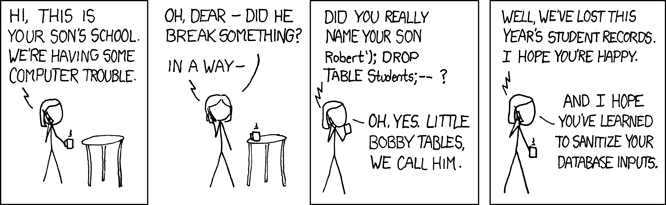
The second kind of sanitation happens on the server-side. Users can enter into fields pretty much whatever they want if you don’t clean it, including SQL injection statements. If you don’t have safe-guards in place, they can stop a query you have defined from processing, then insert their own that can damage your systems. XKCD, a popular online comic, provides one of the best (and funniest) examples of this in comic strip #327.
Backups
Important note: I’m not a security expert by any means. This list is not complete and should be only taken as a quick list of things to consider during design and architectural stages. For your specific use cases, be sure to audit your concept and research what’s best for your needs. Security is not something skimp on or cut corners around. Spend what you can to get what you need on this part and don’t lean out this part.
Software Development Life Cycle
The Software Development Life Cycle (SDLC) is a process used by software developers to design, develop, test, and deploy software. It’s like a roadmap that guides developers from the start of a project to its completion. Think of it as a series of steps that help ensure the software meets customer needs and works correctly.
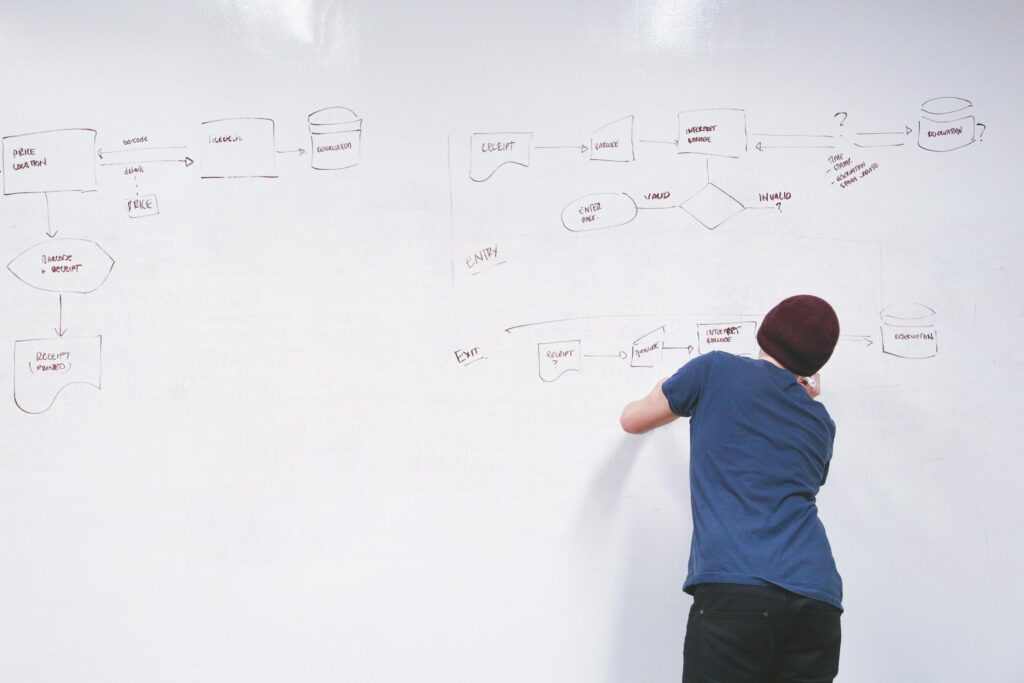
There are 7 major phases of the SDLC that appears throughout all development in some way. For smaller startups or personal projects, they may be much smaller or blurred together, but as a business scales, these become discreet, often tangible, steps with dedicated staff. Pay attention to your own development process as you build your application.
Planning
- What it is: This is the brainstorming phase. You and your stakeholders (like customers or managers) discuss what the software should do and what problem it will solve.
- Why it matters: Planning helps ensure everyone is on the same page and the project has a clear direction.
Requirements
- What it is: Here, you will gather detailed information about what the software needs to do. They talk to users and stakeholders to understand their needs.
- Why it matters: Clear requirements help prevent misunderstandings and ensure the software does what users need it to do.
Design
- What it is: You plan how the software will work and what it will look like. This includes designing the architecture (how different parts of the software will interact) and the user interface (what users will see).
- Why it matters: Good design makes the software easier to build and use.
Development
- What it is: This is the actual coding phase, where you’ll write the software based on the design plans.
- Why it matters: This step turns the ideas and designs into a functioning product.
Testing
- What it is: Thoroughly audit the software to find and fix any bugs or issues. This can include various types of testing like manual, automated, regression, and integration as well as user-friendliness and accessibility.
- Why it matters: Testing helps ensure the software is reliable and does what it’s supposed to do.
Deployment
- What it is: The software is released to users. This could mean installing it on users’ computers, or making it available for download or use online.
- Why it matters: Deployment makes the software available for people to use and benefit from.
Maintenance
- What it is: After the software is deployed, you’ll continue to support it. This includes fixing any bugs that are discovered and making updates or improvements.
- Why it matters: Maintenance ensures the software continues to work well and remains useful over time.
Step 1
Step 2
Solidify and do any market research needed to pivot the idea into something more useful or marketable. What’s the budget for this software? What platforms should we support? Do we want people to build their own apps off of the data structure? How will this solve the problem better than potential competitors?
Take the idea and research how others may have solved the problem already. If none exist (which is unlikely), think about what features could be most useful for the system to implement.
Consider, as well, what the Minimum Viable Product should be. What must this tool do to meet “customer” needs?
Step 3
Step 4
All of the deliverables from step 3 will be leveraged by the developer(s) in this stage to write actual code that begins to solve the problem. Good design docs will make this much easier in “greenfield development” (brand new systems and software), as the primary “thinking” has been done. In the case of bug fixes, defect resolutions, and feature enhancements, however, developers may need to further investigate existing systems, integrations, and class structures to truly understand where the bug is coming from.
Step 5
Testing. I’ve said it so many times, but do not cut corners or budget on testing. Quality Assurance advocates and professionals (QAs) are the bread and butter for customer representation. Without their fine-toothed comb approach to validating and auditing the software, bugs, defects, and tech debt can ramp up exponentially, causing major cost and stress increases. QAs typically employ many methods to test a system including automation (unit and CI/CD testing), manual testing (booting up and click on things), and regression testing (making sure other functionality isn’t broken when new code is introduced).
It’s a deliverable of the testing phase to kick code back to a developer when the code presents unexpected behavior, or to approve it for release when the release cycle begins. Skipping QA can cause major problems down the line, so don’t do it.
Step 6
Step 7
The final step is maintenance, where you’ll be observing live-service bugs, responding to tickets, and interacting with customers the most. Make sure to establish a good pipeline to reproduce reported bugs and defects so that you can easily prioritize work and report when it is complete.
Designing a System
Obviously, designing a system can be complicated. But it doesn’t always have to be. In this section we’ll talk about what’s needed to build a basic software tool.
Whenever I design a system, I start my asking myself what the Minimum Viable Product is (MVP). Then I start building use-cases, which are high-level statements that cover the entire system and how a user may interact/experience the application. I then look for approval from a QA or customer advocate. If I don’t have access to that staff, I look at comparable applications that already exist to see if my use-cases are applicable and accurate. It’s at this point that I ask myself about platforms like Web, Mobile, or Desktop/Server (rarely TV apps for systems like Roku or FireStick). The use cases will help me build an “enterprise architectural diagram” which visually describes the system I’m building at a very “high level.”
Once I have a concrete list of use-cases, I derive, from them, a series of user stories. These are similar to use-cases, but are much more granular. They can be as simple as “As a user, I expect to click the login button and see the login modal appear so that I can login to the website/application.” There are several different ways to write user stories, two of which are: the traditional way and the Gherkin syntax. It’s not uncommon for the list of user stories to grow throughout development and discovery during the full SDLC of the app. I then diagram as many of these in relation to other user stories as I deem reasonable. Often, getting this granular is unnecessary and cumbersome. Feel free to only diagram out how data will flow between the major structures. It’s at this point that I often build out the schema diagram (called an Entity-Relationship Diagram, or ERD). This will directly inform database development processes and value relationships; to a degree, this will also influence server-side object creation and layouts, so take your time and make this diagram clear.
Next up, I move the user stories into my work item management app. This can be merged into the same step as the user story writing phase, but sometimes it’s nice to just get all of the ideas onto a single document and deal with organization later. I then organize the work items on priority. What comes first? What does that enable? What comes after? Many work item tracking systems will let you link work items as “stopped by” or “prerequisites” in relation to another work item. When you get to this step, play around with whichever work item management software you’ve chosen. If you didn’t choose one, just be sure to denote an order in your user story document.